A dedicated Snapchat SMM panel
Our Snapchat SMM panel covers story views, followers and spotlight views, all priced at wholesale rates with delivery that typically starts within a few minutes. Every service is routed through a provider network scored continuously on speed and drop rate, so quality does not depend on luck.
What the Snapchat panel includes
- story views, followers and Spotlight views, each with published drop-rate history before you buy.
- Automatic refill on eligible services — no ticket required when units drop.
- Drip feed so delivery is paced across hours or days: fast enough to matter inside the 24-hour story window.
- Free API access to automate orders from your own storefront or script.
How to order on the Snapchat SMM panel
- Create a free account and add funds from $5.
- Filter the Snapchat catalogue by service, quality tier and speed.
- Paste your public Snapchat link and confirm the order.
- Track delivery live from your dashboard or the API.
Pricing and volume discounts
List pricing is wholesale from the start. Tier discounts unlock automatically as your monthly Snapchat spend grows, up to 38% off for high-volume resellers — no negotiation or minimum contract required.
Resell Snapchat services
Every Snapchat service on this panel is available through the free reseller API, so you can build your own storefront, connect an existing panel script, or run orders through a child panel without writing custom integration code.
What does the Snapchat SMM panel include?
story views, followers and Spotlight views, each priced at wholesale rates with published drop-rate history.
How fast does delivery start on Snapchat?
Most orders begin within a few minutes, tracked live in your dashboard.
Is my Snapchat account safe to use with this panel?
Yes — no password or login is required, only a public link, and delivery is paced to match normal usage patterns.
Can I resell these Snapchat services?
Yes, using the free reseller API included on every plan.
Does Snapchat pricing get cheaper at volume?
Yes, tier discounts unlock automatically as your monthly spend grows.
How ordering works here
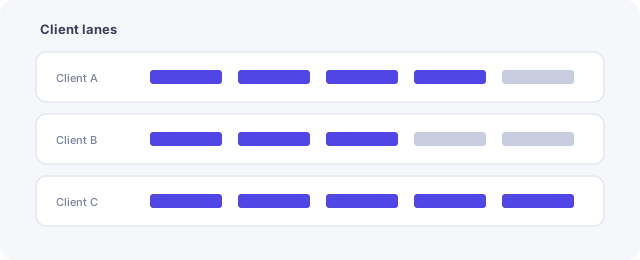
Content expires, so place the order early enough in its lifetime for delivery to land. When using the snapchat smm panel for the first time, place a small order on an unfamiliar service and observe what actually happens before committing a larger quantity. Read the service description rather than comparing price alone, since start time, pacing and refill terms differ between options that look similar in a list.
Check which content type a service applies to, since story and Spotlight services differ. Keep a note of what was ordered, for which target and on what date. That record answers most later questions without guesswork. The full category list is on the services page, common questions are covered in the FAQ, and anything needing a closer look can go to support.
Related guides
More on this topic from the same section:
- Spotify SMM Panel — plays, monthly listeners, saves, followers and playlist placements
- Telegram SMM Panel — members, post views, reactions and votes
- Threads SMM Panel — followers, likes, reposts and views
- Twitch SMM Panel — followers, channel views and concurrent live viewers
- X SMM Panel — followers, likes, retweets, bookmarks and post views